Keep the library on-device
The application reads the Photos database locally and serves the optional UI only on the user's machine.
Local macOS utility
Apple Photos exposes aggregate storage but makes it difficult to answer a simpler question: which originals are actually large? iPhotoSizer reads the local Photos library, preserves local-versus-cloud status, and turns the result into a sortable report without uploading the library anywhere.
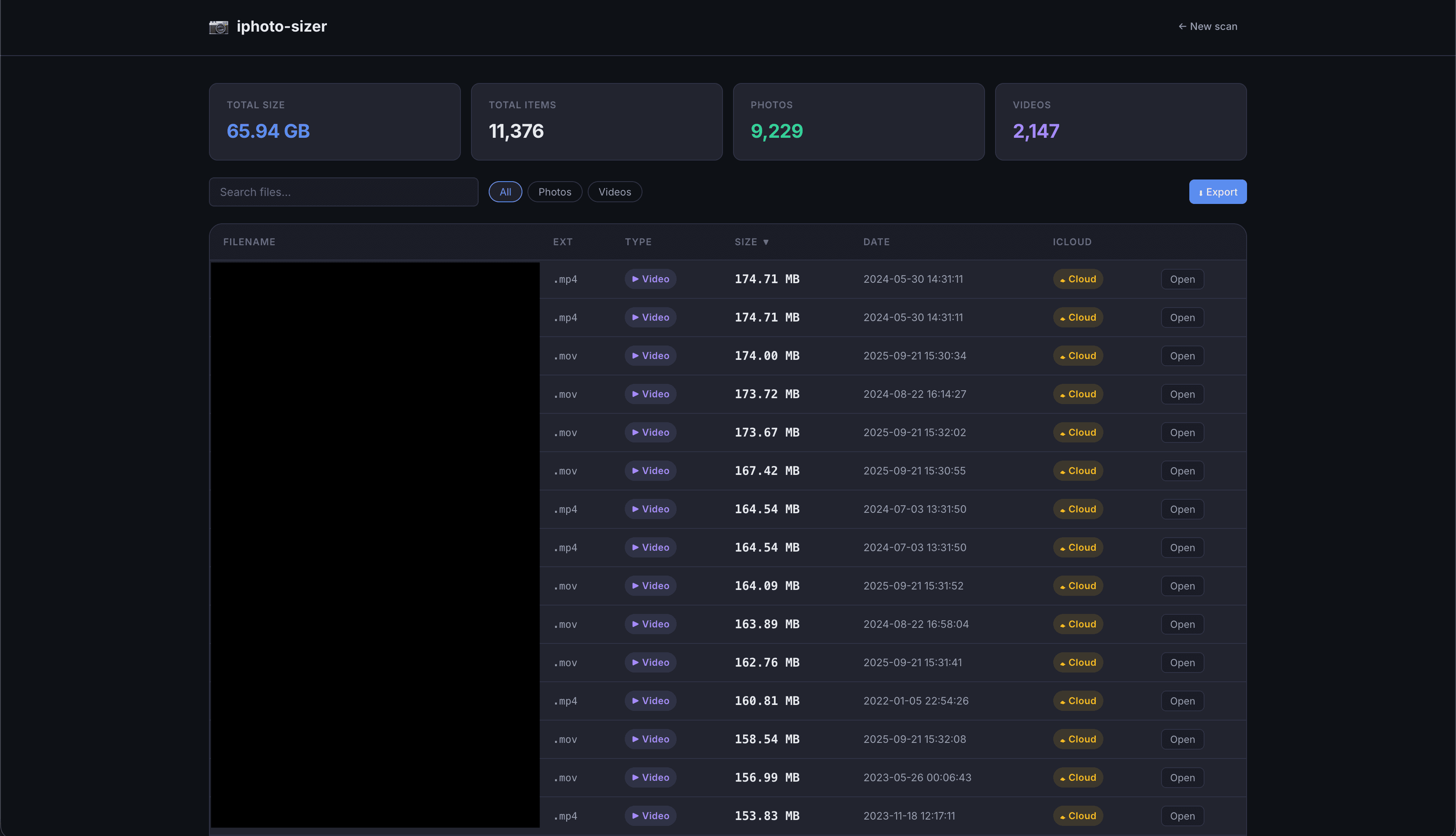
The tool reads Apple Photos metadata through osxphotos, normalizes it into typed media records, and sorts originals by bytes rather than by the smaller local proxy that may happen to be present.
Cloud-only items stay in the report with an explicit iCloud status, so the result describes the whole library rather than only files currently downloaded to the Mac.
The default CLI writes a CSV or JSON report and prints a compact summary. An optional Flask extra opens the same scan in a local browser with search, media filters, storage totals, export controls, and an experimental path back into Photos.app.
Both surfaces share the same typed model and scan logic. The web interface is not a separate cloud service and the photo library never leaves the machine.
Photos access depends on Full Disk Access granted to the enclosing terminal application, not just the Python process. The error path walks the process tree to identify that host and gives a concrete System Settings instruction instead of surfacing a generic database failure.
Individual records that cannot be parsed are reported and skipped, while disk-space checks happen before export so one bad item or a nearly full volume does not destroy the entire scan.
Engineering choices
The implementation details matter because each one closes a specific failure mode or keeps an important boundary visible.
The application reads the Photos database locally and serves the optional UI only on the user's machine.
CLI summaries, browser views, and exports consume the same validated media records instead of implementing separate scan paths.
An unreadable photo becomes a visible warning, not a reason to discard the rest of a long library scan.
Where it landed
A tested macOS utility distributed through PyPI, with a scriptable export path for quick cleanup work and a local visual interface for exploring the same data.
Next case study
Academic Metrics